Stable Audio Remix
Stable Audio Remix is a small web app built around Stable Audio 3’s audio-to-audio mode. You drop in an existing track, describe the style you’d like instead, and it returns a version that holds onto the original’s timing and shape while moving it toward the new direction. There’s an A/B player built in so you can flip between the source and the remix and compare them easily.
You can try it live at remixab.maxgraf.space.
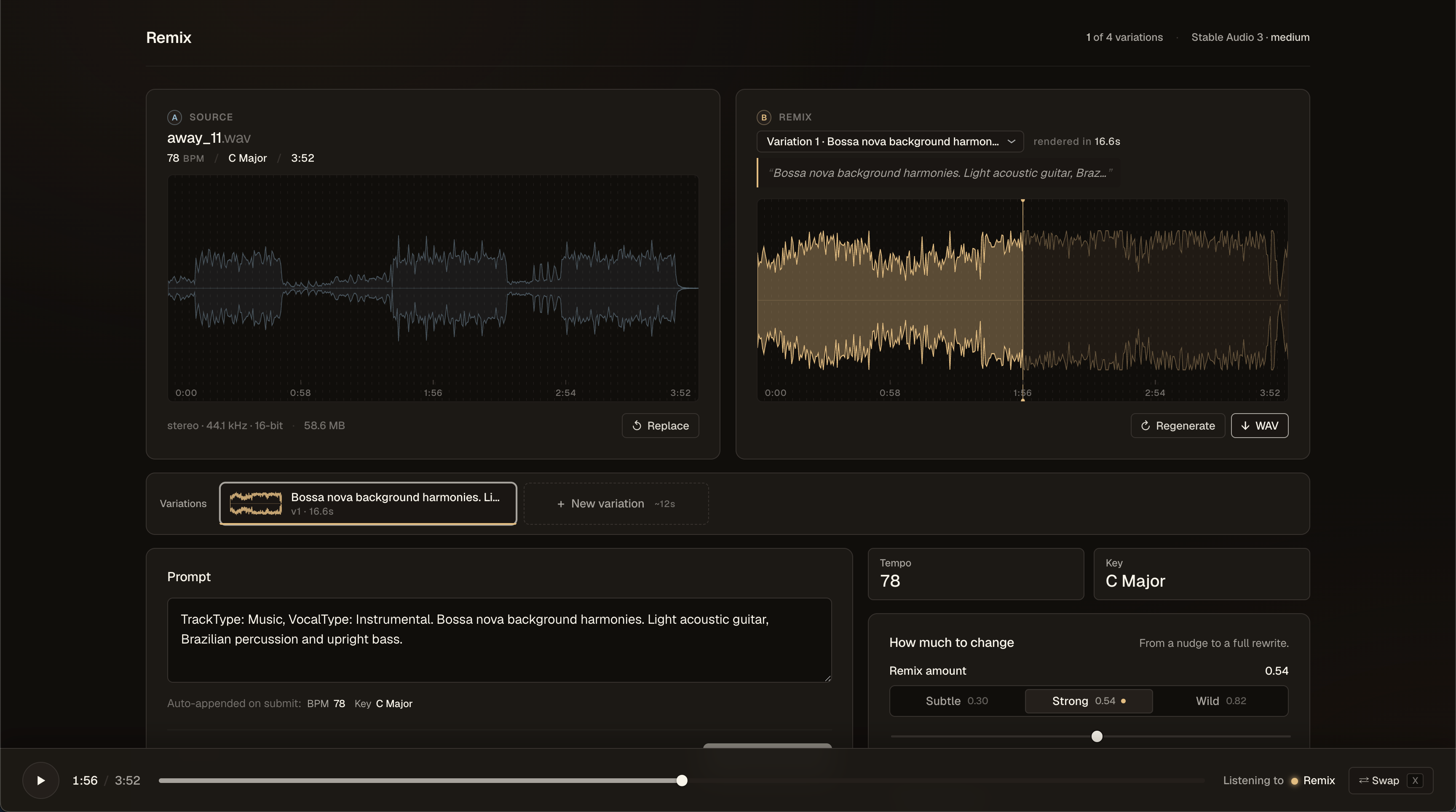
The new Stable Audio 3 release is genuinely interesting, and audio-to-audio is the mode I got most drawn into. Rather than generating from scratch, it takes an existing track plus a text direction and edits the original by a controllable amount. The app uses Stable Audio 3 medium by default.
Keeping the vocals
Stable Audio’s vocals tend to come out weird — the model seems to have been trained mostly on instrumental material, so getting reliably good vocals out of it is hard. To work around this, the app runs source separation in the browser (locally) before anything goes to the GPU, strips the vocals out, sends only the instrumental off to be remixed, and then layers the original vocals back over the result.
The source separation runs entirely on your machine through my own demucs.onnx port to WebGPU — the same engine behind Demucs WebGPU.
Locking tempo and key
The model has no inherent sense of tempo or key, so a remix can easily drift to a different BPM or land in a different key than the source. To keep it anchored, a small analysis step runs the moment you drop a file, detecting the BPM and key, and both get appended to the prompt. Without that, the remix often ends up at a different tempo or in a different key than the original.
Try it
Drop in a track, describe how you’d like it to sound, and use the A/B player to compare the original against the remix. It’s a fun thing to play around with — pick something you’d like to hear in a different style and see what comes back.
What’s next
A version that runs fully on your own laptop, with no GPU round-trip at all.