Audio Maps Beta
Thanks for trying it out! ❤️
Idea
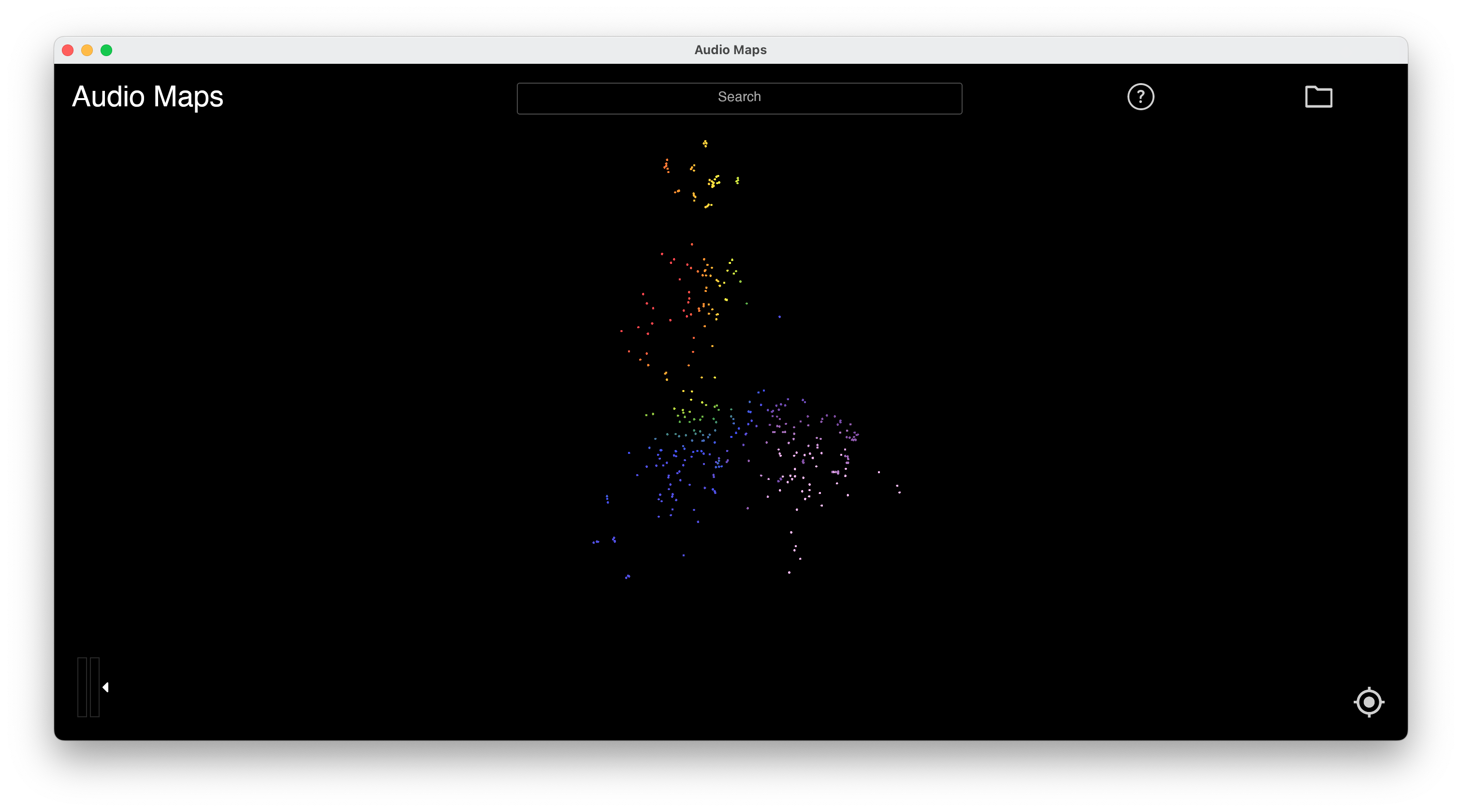
The core of the app is a PyTorch model that was trained to reconstruct drum samples. The latent space of this model is the basis for the map you see when you’ve loaded a folder into the app. I aimed for it to be a gradual, flowing representation of the timbral characteristics of samples. You will see that rather than hard boundaries, the clusters often overlap, as e.g. some claps, snares and snaps might sound very similar. The basic idea is to make finding samples easier by visually placing them on a map based on their sound. Move the mouse over loaded samples to play them and find the ones you like!
Installation
Download
Download for macOS or Windows.
Windows
Installer does everything. Find app in start menu after install.
macOS
Open Audio Maps.dmg file and drag-and-drop the app onto your Desktop or into your Applications folder or anywhere else.
How to
- Drag-and-drop a folder into the app to add it to the database.
- Navigate the “map” like on Google Maps.
- Click a sample to automatically copy it to your clipboard -> just paste it into your DAW.
- Clicking a sample also opens a little box with the sample name. Start dragging outwards from that box to drag-and-drop the current sample into any app (for DAWs that don’t accept
CTRL/CMD + Ving of audio samples, looking at you FL Studio)
- Clicking a sample also opens a little box with the sample name. Start dragging outwards from that box to drag-and-drop the current sample into any app (for DAWs that don’t accept
- Add more folders using the folder button at the top right of the app.
- Once you’ve loaded a folder and your on the map, you can drag-and-drop any audio sample from your computer into the app window to place that sample on the map -> useful for finding similar samples for ones you like within a big collection of sounds.
- The top right corner of the app window has a little help button that explains everything in more detail.
Limitations
- !! The app currently needs an internet connection to run !!
- When selecting a folder to add, you can only pick one folder at a time (it will load all of its sub-folders) -> can’t
Shift + Selectto add multiple at the same time. - Sometimes when opening the app for the very first time after installing it, the UI is half-broken -> just restart it and it should be fine.
- Clustering for very large collections (> 10k samples) is sometimes still trash.
- Clustering for loops is very arbitrary, sometimes it gets it, sometimes not.
- The search bar filters by means of file names at the moment -> if you have a folder where the samples are called something like
1.wav, 2.wav, 3.wavand it’s a kick, snare and hihat, the search won’t filter them correctly. - Only wav files are supported at the moment (sometimes mp3s work weirdly but don’t bet on it).